
Download StuffIt – Sicheres, Multi-Format-Dateikomprimierungstool für Windows, Mac, iOS & Android
StuffIt ist ein langjähriges Dateikomprimierungs‑Utility, das weiterhin Nutzer unterstützt, die zuverlässiges, multi‑formatiges Archivmanagement benötigen. Entwickelt von Smith Micro, unterstützt diese Software über 25 Dateiformate und ist damit ein vielseitiges Werkzeug für den privaten und professionellen Einsatz. Ob Sie große Ordner komprimieren, Archive konvertieren oder selbstextrahierende Executables erstellen – StuffIt liefert konsistente Leistung auf Windows, Mac, iOS und Android.
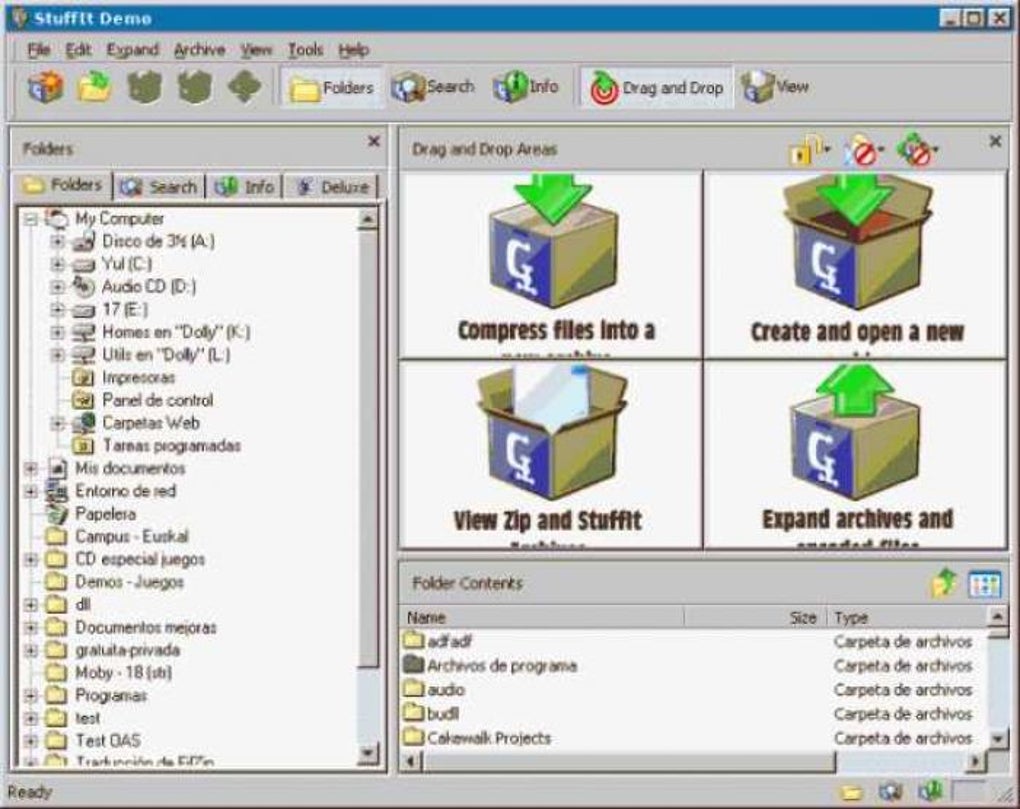
Trotz seiner veralteten Benutzeroberfläche und dem Fehlen einer dedizierten Testversion bleibt die Software eine solide Wahl für Nutzer, die Kompatibilität und erweiterte Funktionen schätzen. Mit sicherer Verschlüsselung, geplanten Aufgaben und tiefgreifenden Anpassungsoptionen hebt sich StuffIt als leistungsstarkes, aber unterschätztes Dateimanagement‑Tool hervor. Laden Sie StuffIt noch heute herunter und erleben Sie eine bewährte Komprimierungslösung, die in der heutigen digitalen Landschaft immer noch Bestand hat.
Warum StuffIt in der Welt der Dateikomprimierung herausragt
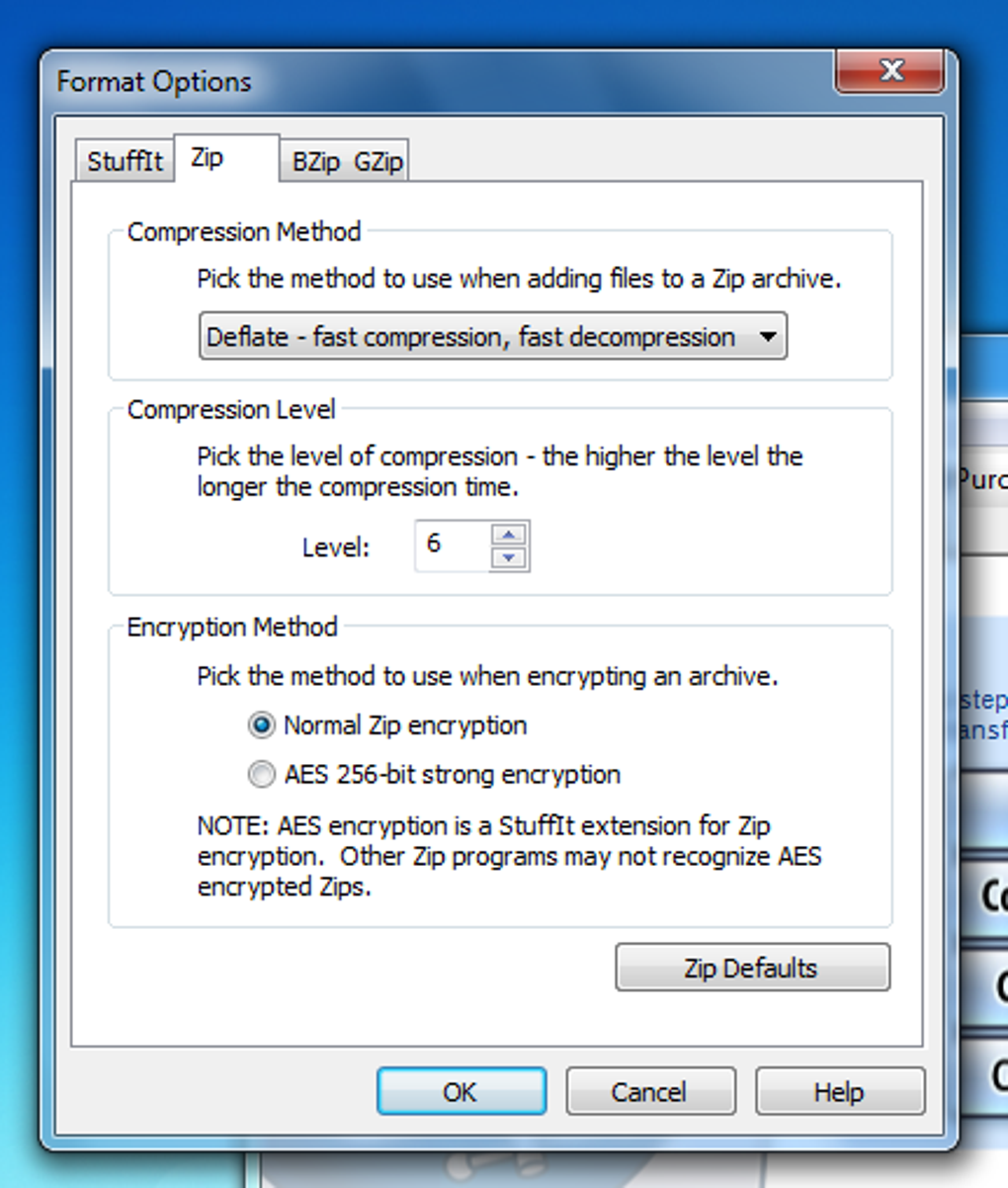
When it comes to file compression software, the market is flooded with options—7-Zip, WinRAR, PeaZip, and others dominate the scene with sleek designs and free access. Yet, StuffIt remains a notable contender, especially for users who need compatibility with legacy formats and advanced archive handling. Unlike many modern tools that focus on simplicity, StuffIt embraces complexity with a purpose: it supports more than 25 different archive formats, including ZIP, RAR, TAR, GZIP, and even niche formats like StuffIt’s proprietary SIT and SITX. This breadth of support makes it ideal for professionals dealing with cross-platform file transfers, especially in corporate or creative environments where file compatibility is critical. One of the standout features is its robust wizard system, which guides users through the compression and extraction process step-by-step. Even if you’re not tech-savvy, the wizards simplify tasks like creating a compressed archive, converting a file from one format to another, or generating a self-extracting executable (SFX). These wizards are intuitive and reduce the learning curve significantly, despite the software’s otherwise cluttered interface. The compression speed is impressive—files are processed quickly, and the estimated time adjusts dynamically as the process progresses, giving users a realistic view of completion. Moreover, StuffIt offers secure encryption with AES-256, ensuring your sensitive data stays protected. You can set passwords, hide file names, and even configure encryption settings per archive. For businesses or individuals handling confidential documents, this level of security is invaluable. The ability to schedule recurring compression tasks—such as backing up folders weekly—adds a layer of automation that many free tools lack. Whether you're managing media libraries, project files, or client data, StuffIt provides a comprehensive toolkit that goes beyond basic compression.Installation, Nutzung und Kompatibilität über Plattformen hinweg
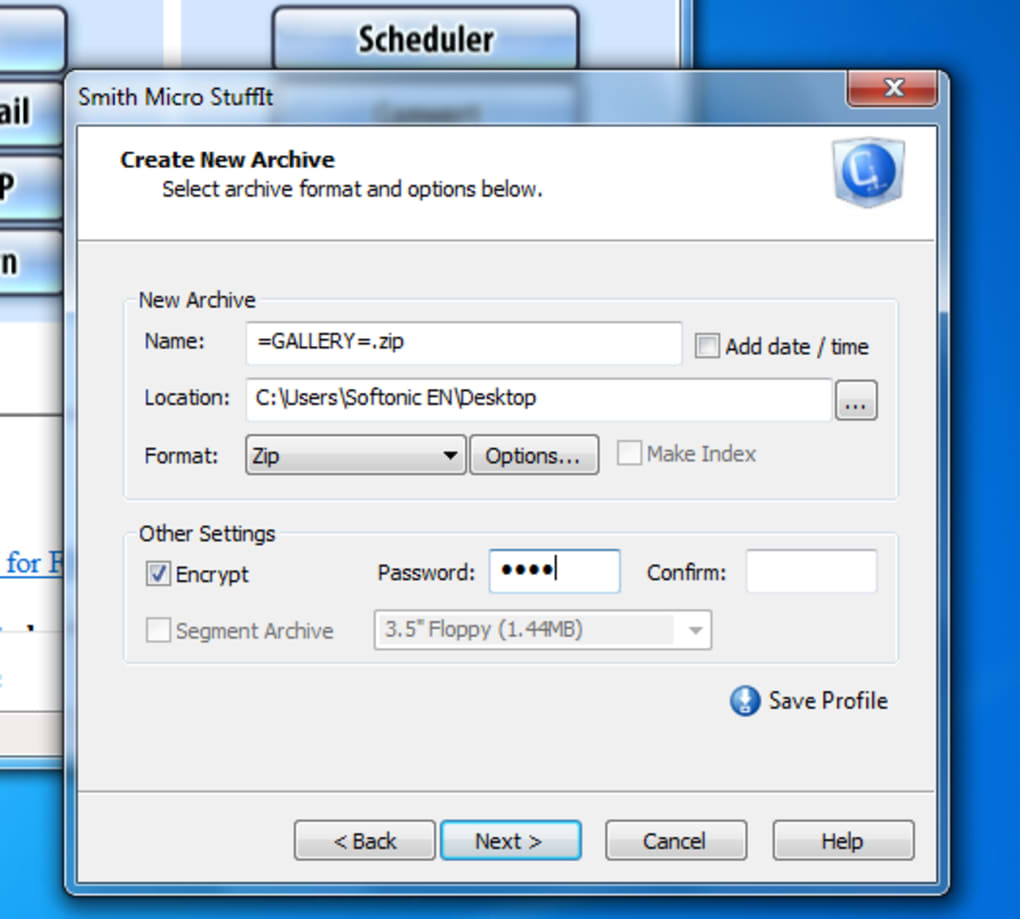
Installing StuffIt is straightforward across all major operating systems. For Windows users, download the installer from the official Smith Micro website, run the executable, and follow the on-screen prompts. The setup process is clean and doesn’t bombard you with unnecessary add-ons or bundled software. Mac users will appreciate the native .dmg installer, which allows for drag-and-drop application placement. Both platforms integrate seamlessly with the system’s context menu, so you can right-click any file and compress or extract it directly—no need to open the full application. On mobile devices, StuffIt is available as a free app on both iOS and Android. While the mobile version is more limited than the desktop counterparts, it still allows for basic compression, extraction, and viewing of common archive types like ZIP and RAR. The mobile interface is clean and responsive, making it easy to manage files on the go. For users who frequently transfer files between devices, this cross-platform consistency is a major advantage. Once installed, using StuffIt is intuitive, especially when leveraging the built-in wizards. To create a new archive, simply select your files, choose “Create Archive” from the toolbar, and follow the wizard’s steps. You can select the format, set compression level, add password protection, and choose whether to create a self-extracting file. Extracting files is just as easy—just double-click the archive, and StuffIt opens it in a preview window where you can browse contents before extraction. The software also functions as a lightweight file explorer, allowing you to navigate through archives without extracting them first. This is particularly useful when you need to locate a single file within a large archive. Additionally, the configuration panel offers deep customization—adjust default settings, set default compression levels, define file associations, and manage encryption preferences. With such flexibility, StuffIt adapts to your workflow rather than forcing you into a rigid structure.Vor‑ und Nachteile und Vergleich zu kostenlosen Alternativen
While StuffIt delivers strong performance and broad compatibility, it’s not without its drawbacks. Here’s a balanced look at what makes it stand out—and where it falls short.- Pros:
- Supports over 25 archive formats, including legacy and proprietary types
- Advanced encryption with AES-256 for secure file protection
- Self-extracting archive creation for easy sharing
- Automated scheduling for recurring compression tasks
- Seamless integration with Windows, Mac, iOS, and Android
- Robust wizard system for beginners
- Cons:
- Outdated, cluttered interface that feels dated
- No dedicated trial version—hard to assess full feature set
- Higher price point compared to free alternatives like 7-Zip or PeaZip
- Overkill for basic users who only need ZIP compression
- Mobile version lacks advanced features available on desktop
Häufig gestellte Fragen (FAQ)
-
Is StuffIt free to download and use?
- While StuffIt offers a free trial, the full version requires a paid subscription. The trial allows users to test core features like compression and extraction, but advanced tools like scheduled tasks and full encryption may be restricted. For long-term use, a license is necessary.
-
Can StuffIt open RAR and ZIP files?
- Absolutely. StuffIt supports a wide range of archive types, including ZIP, RAR, TAR, GZIP, and more. This makes it ideal for users who need to handle files from various sources or legacy systems.
-
Does StuffIt work on Mac and Windows?
- Yes, StuffIt offers dedicated desktop applications for Windows and macOS, ensuring optimal performance and full feature access on both systems.
-
Can I create self-extracting files with StuffIt?
- Yes, StuffIt allows you to generate self-extracting files that users can run directly, making file sharing easier—especially useful for clients or non-technical users.
-
Is StuffIt secure for sensitive data?
- Yes, the software supports military-grade encryption, making it suitable for securing confidential documents, financial records, or personal data.







